
File Size
Compatible
Android 8+
Release Date
Verified
Secure Scan
Scan to Download
Point your phone camera here to get the link instantly.
Auto Version Checker
Verify if your installed mobile app matches the latest cloud release. Select a simulated current version to see the checker in action.
New Version Available
Version 1.0.4 is now available. Please update to avoid compatibility issues.
Built for Modern Teams
VKARD PRO combines networking simplicity with full digital sales tools to accelerate your client interactions.
Digital Business Cards
Create elegant digital business cards with rich profiles, photos, and deep link options.
Unlimited Sharing
Share your card infinitely via QR, WhatsApp, NFC, SMS, email, or social media pages.
Agent Dashboard
Unified management portal to build, deploy, track, and restrict cards for your sales force.
Lead Management
Automatically capture contact information from views and sync leads to CRM instantly.
Analytics
Monitor individual profile views, clicks, contact saves, and visual performance charts.
Custom Themes
Tailor colors, button shapes, fonts, and cover graphics to match corporate branding.
Offline QR
Scan and share digital cards without an active internet connection on either phone.
One-Click Save Contact
Allows clients to download your contact info directly into their local address book.
WhatsApp Integration
Direct quick-chat features, pre-filled responses, and rapid lead follow-up automation.
Product Catalog
Add image lists, descriptions, pricing tables, and links for products/services directly.
Booking System
Allow clients to coordinate calendar dates, select times, and schedule meetings.
UPI Payments
Collect payments instantly with clean dynamic QR codes using direct UPI integrations.
Explore the Interface
Take a look at how clean, responsive, and functional the VKARD PRO application layout is.
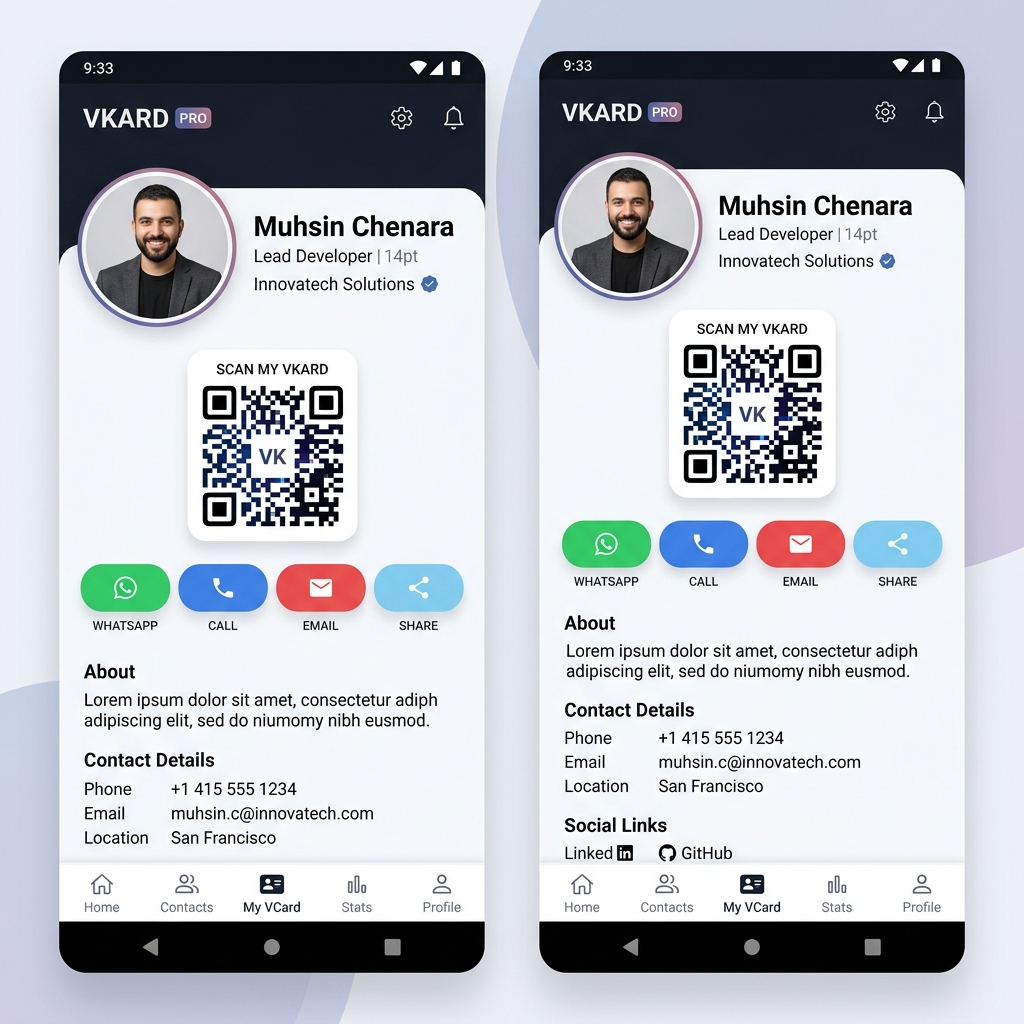
Digital Card View
Exquisite contact profile card UI with quick connectivity links and scan triggers.
How to Install the APK
Follow these quick steps to get the VKARD PRO application up and running on your Android device.
Download APK
Tap the Download APK button above. The package will download directly to your Android device.
Allow Unknown Sources
If prompted, go to Settings > Security and enable permission to install apps from "Unknown Sources".
Install VKARD PRO
Open your device downloads folder, tap the downloaded VKARD-PRO.apk file, and tap "Install".
Launch & Enjoy
Open the app, sign in to your dashboard, and start sharing your premium digital business profile.